

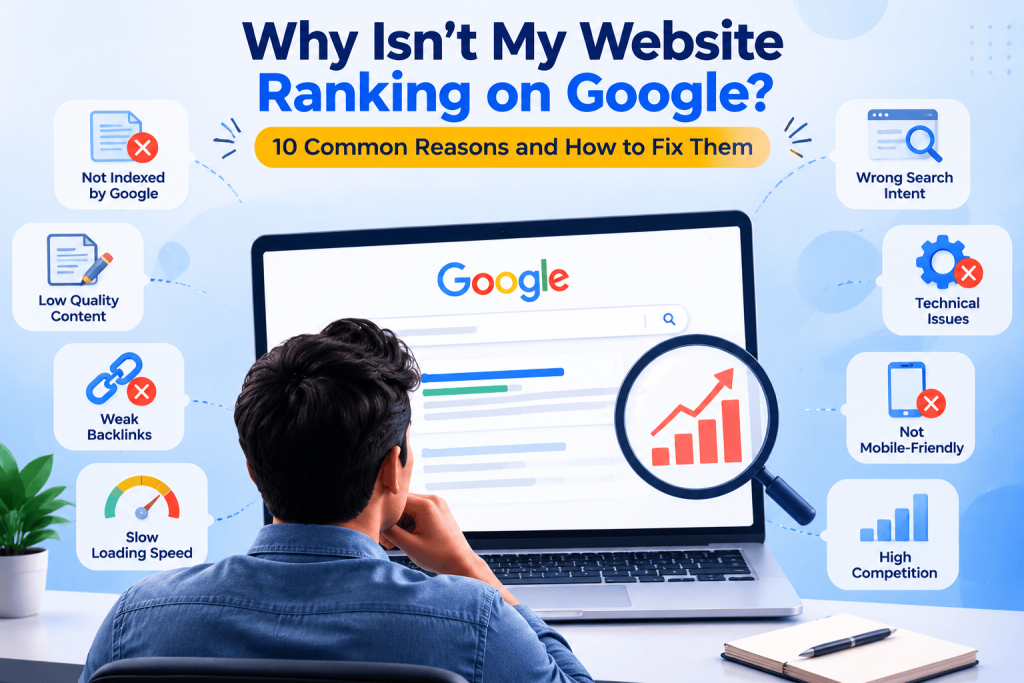
Why isn’t your website ranking on Google? Most sites fail to rank for one of four reasons. Google has not indexed the pages. The content does not match what searchers want. A technical problem slows Google down.Or competitors have far more authority. The fix depends on which one applies to you, so find the cause before you change anything.
This guide walks you through that. First, a quick check to see what kind of problem you have. Then ten common reasons, each with a way to confirm it and a way to fix it.
Start Here: Find Out What Kind of Problem You Have
Do not guess. Take 10 minutes to spend in Google Search Console first. It’s free, and it lets you know what Google sees.
If you are in any of these situations, compare yourself with this table:
| What you see | Most likely causes |
| Pages are not in Google at all. | Reasons 1 and 2 |
| Pages are indexed but stuck on page 3 or lower. | Reasons 3, 4, 5, 7, 8, and 9 |
| You ranked before and then dropped. | Reasons 6 and 10, sometimes 4 and 5 |
| You rank, but few people click. | Weak title and description (see Reason 5) |
Now run these four checks:
- Search your domain. Type, site:yourdomain.com into Google. If only a few pages appear, or none, then you are likely having an indexing problem.
- Inspect one URL. In Search Console, paste a page address into the URL Inspection tool. It tells you whether Google has indexed the page. If not, it usually says why.
- Open the Pages report. This provides a list of unindexed pages and a why for each.
- Open the performance report. Look at impressions, average position, and clicks for your target queries. Many impressions with a low position mean you have a ranking problem. A good position with few clicks means your title and description need work.
Keep these results open. You will use them below.
1. Google Has Not Indexed Your Pages
A page cannot rank if it is not in Google’s index. This is the most basic problem, and it is more common than people think.
Three things usually cause it:
- A noindex tag. This tells Google to keep the page out of search results. It is often left on by mistake after a site redesign or while a site is being built.
- A robots.txt block. This file can stop Google from crawling parts of your site.
- No sitemap, or a broken one. Without it, Google may take much longer to find your pages.
How to confirm: Use URL Inspection on your key pages. Check the Pages report for reasons such as “Excluded by noindex tag” or “Blocked by robots.txt.”
How to fix it: Remove the noindex tag from pages you want to rank. Edit robots.txt so it does not block important folders. Submit an XML sitemap in Search Console. Then use “Request indexing” on your most important pages.
2. Your Site Is New, or You Changed It Recently
Sometimes nothing is wrong. Google needs time to find, crawl, and judge a new site. A page you published last week has not had a fair chance yet.
The same is true after big changes. If you moved to a new domain, rewrote many pages, or changed your URLs, rankings can shift for a while.
Rankings for competitive keywords often take several months to build. Many sites see early movement in weeks, but real growth usually takes longer, depending on how strong the competition is.
How to fix it: Make sure the basics are right (Reason 1), then keep publishing useful content. Do not change titles and URLs every week. Constant changes make it hard to tell what worked. If SEO is new to you, start with our beginner guide on what SEO is.
3. Your Page Does Not Match Search Intent
Many business owners are taken aback by this one. It’s possible to write a fantastic page and not rank because you’re answering a different question than the one they are asking.
Now, let’s say a person looks for “how to choose a website developer”. Google will probably display checklists and guides. No matter how great your page is written, if it is a sales page promoting your web design service, it will not make it.
How to confirm: Type your desired keyword into a search engine and check the first page. What type of pages do you see? Guides? Product pages? Comparison lists? Local businesses? Google believes this is the content users are looking for.
How to fix it: Change your page type to fit the results, or pick a different keyword that fits the page you already have. Service keywords belong on service pages. Question keywords belong on blog posts.
4. Your Content Is Thin, Copied, or Not Useful
Google is looking for pages that serve people. A page with a few generic lines gives it little reason to rank you above sites that go deeper.
Be alert for these warning signs:
- The page is brief and repeats the words of every competitor.
- There is text that is copied from another site or that is very close to the text on another site.
- The page contains numerous keywords but no original content.
- Nobody who really knows or has done it wrote it.
How to fix it: Add what only you can offer. Include and explain some work examples. Describe how to do things. Respond to the customer’s questions he or she is asking. Discuss the issue in greater detail than the pages that outrank you and make it readable.
Ask a question about each page: Does someone reading this gain information they cannot get from the top three results? Otherwise, continue to work on it.
5. Your On-Page SEO Is Weak, or Your Own Pages Compete
On-page SEO optimization is a series of fundamentals that tell Google what a page is about. There are signals out there, and they are in your title tag, your headings, the first paragraph of your content, and your URL.
Typical errors are when the title does not include the topic, when there is no H1 or a duplicate one, and when the meta description makes no one want to click. That last is the reason behind the ‘I rank, but nobody clicks’ issue.
There’s a more subtle problem, too. Two pages that target the same keyword compete with each other. This is known as keyword cannibalization. Google might switch between them or rank neither well.
How to confirm: Go to the performance report, filter by a target query, and click on the Pages tab. When multiple URLs are listed in the search result for the same question, you may have overlaps.
How to fix it: On each page, have only one major topic. Combine pages that are essentially the same. Rewrite titles so they lead with the topic and give people a reason to click.
6. Technical Problems Slow Google Down
Technical issues do not always stop you from ranking, but they can hold you back. They also tend to be the cause when rankings drop after a site update.
Examine the following areas:
- Mobile experience. Google primarily indexes your mobile website. Things that are difficult to navigate from your phone are a disadvantage to you.
- Page speed and Core Web Vitals. They assess the time it takes to load the main content of the page (LCP), the time required for the page to respond to a tap or click (INP), and how consistent the layout is when loading the page (CLS).
- Long redirect chains, broken links. These waste crawl time and annoy visitors.
- Broken template code. An error in the site template will be duplicated on all pages. A single broken link in a template will appear many times.
- Images that don’t display or are slow to display. Caching plugins and image tools can sometimes go awry and deliver the wrong files.
How to confirm: With the Core Web Vitals and Mobile Usability data from the Search Console and PageSpeed Insights. Check for broken links and redirects with a crawl of your site.
How to fix it: Compress images. Remove scripts that you don’t need. Correct broken links at the template level (one change will fix all pages). Test your key pages on an actual phone.
7. Your Internal Links Are Weak
Internal links connect your pages. They help Google find your content, and they show which pages matter most.
If there are no links pointing to a page, then it is an orphan page. It might be too late, or Google might not care about it. Poor anchor text is also detrimental. Clicking on a link with a “click here” string of text gives Google no information about the linked page.
How to fix it: Link to your important pages from related content. Use anchor text that describes the destination, such as “local SEO checklist” instead of “read more.” Make sure your main service pages get links from your blog posts, and link back from those service pages when it makes sense.
8. You Do Not Have Enough Trusted Backlinks
Backlinks are links from other websites to yours, and earning them is a core part of off-page SEO. Google treats them as a sign that others trust your content. If competitors have earned many good links and you have few, they often win.
Quality matters far more than quantity. A handful of links from respected and relevant sites beats hundreds from spammy directories. In fact, low-quality link schemes can cause trouble (see Reason 10).
How to confirm: Use any of these SEO tools to compare your backlink profile with the sites that outrank you. Consider the number of backlinks and their relevance.
How to fix it: Earn links by publishing things people want to reference, such as original data, useful guides, or free tools. Get listed in trusted industry and local sources. Build real relationships with other sites in your field. Skip paid link packages.
9. Competition Is Too Strong for This Keyword
Sometimes the honest answer is that you are aiming too high, too soon. A new site chasing a very broad keyword is up against brands that have spent years building authority.
This is also an issue for local businesses. When Google returns search results for a query such as ‘near me’ or a city name, it displays a map pack with local listings before the regular search results.
How to fix it: Work on more specific keywords first. Longer, narrower phrases are not as competitive and will attract buyers who are further down the funnel. Establish authority in that place, then shift to more general.
If you serve a local area, set up and complete your Google Business Profile. This is a big part of local SEO. Keep your business name, address, and phone number the same everywhere online. Ask happy customers for reviews. Write pages that are relevant to each area served; don’t write pages that are identical to each other, except with the city name changed.
10. A Penalty or Core Update Hit You
Rankings that fall suddenly need a careful look. Two different things can cause this, and they need different responses.
Manual action is a penalty imposed by a Google reviewer. It typically occurs after spam, like paid links, hidden text, and cloaking (showing Google different content than visitors see). Check the Manual Actions report in Search Console. Google will let you know if there is a penalty.
A core update is a broad change to how Google ranks pages. It is not a penalty. Your pages did not do anything wrong. Google just decided others deserve to rank higher.
How to confirm: Check Google’s Search Status Dashboard to see if the date of your drop matches a recent update. If it does and you have no manual action, a core update is the likely cause.
How to fix it: For a manual action, fix the problem, then submit a reconsideration request. For a core update, there is no quick switch to flip. Improve your content quality, show real experience and expertise, fix technical problems, and give it time. Recovery often comes at a later update, not overnight.
Why Choose DI Infotech for SEO Services?
Knowing the possible reasons is not enough to fix a ranking problem. You need someone that can find the true cause, convey it in basic terms, and is there to hand-hold you until the numbers start to move. That’s what our team does.
We diagnose before we fix. We start with a full audit of your site: indexing, technical health, content, links, and search intent. We then order the problems by size of impact. You are able to see what’s blocking your website and what the first thing that you need to change , rather than getting an endless list.
We work from real data. Our recommendations come from Google Search Console, keyword and backlink data, and live crawls of your site. We do not assume a page exists or a fix worked. We check.
We understand local and Indian markets. We are a Delhi-based agency. We know how local search, Google Business Profile, and city-level intent work for businesses that serve customers in India.
We have worked across industries. Our team handles SEO for different industries. Each type of business needs a different keyword plan and content approach, and we build it around yours.
We keep reporting simple. You get clear updates on rankings, traffic, and the work we completed.
We build for long-term growth. We do not use link schemes, hidden text, or other shortcuts that risk a penalty. We focus on useful content, a technically healthy site, and links from trusted sources.
Comparing agencies? Our guide on questions to ask when choosing an SEO company in Delhi will help you judge any provider, including us.
What you get when you work with us:
- A full SEO audit with a prioritized action plan
- Keyword research matched to your services and search intent
- On-page and technical fixes, done or clearly briefed to your developer
- Content planning that supports your main service pages
- Monthly reporting tied to your business goals
If you would rather have an expert review all of this for you, our SEO services in Delhi cover on-page fixes, technical checks, and content planning for growing businesses. Book a free SEO consultation and we will show you what is stopping your site from ranking.
Frequently Asked Questions
How long does it take for a website to rank on Google?
It depends on competition and your site’s age. Some pages show movement within weeks. For competitive keywords, meaningful results often take three to six months or more. Fixing indexing and technical problems first usually speeds things up.
Why is my site indexed but not ranking?
Being indexed only means Google knows the page exists. Ranking depends on relevance, content quality, authority and competition. Check whether your page matches the search intent, whether it is more useful than the top results, and whether you have enough links from trusted sites.
Why did my rankings suddenly drop?
Some of the most common reasons are Google Core Update, a change made in technical factors that cause something to break, manual action, or stronger competitors. Check the date of the drop against your site changes and Google’s update dates and then use Google’s Search Console for errors and manual actions.
Do I need backlinks to rank on page one?
For competitive keywords, usually yes. Links from trusted, relevant sites show authority. For low-competition or very specific keywords, strong content and good on-page SEO can be enough. Quality matters far more than the number of links.
Why do I rank but get few clicks?
Your title or description may not stand out, or your result may sit below features like maps, videos, or answer boxes. Rewrite your title to lead with the topic and a clear benefit. Then check the performance report to see if clicks improve.
0 Comments